
Steps
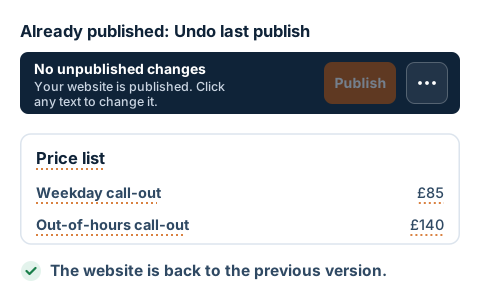
- Open your website in editing mode. The bar at the top shows how many unpublished changes you have, for example 2 unpublished changes.
- The Discard and Undo last publish buttons are on the bar next to Publish. On a smaller screen, they're tucked into the ⋯ menu on the far right. Click it.
- To cancel changes you haven't published yet, use the Discard button. All unpublished changes are discarded at once. If you have nothing unpublished, the button is grey.
- Your browser asks whether you really want to discard them and warns that this can't be undone. Confirm with OK. The page reloads and the public website stays as it was.
- If you've already published a mistake, click Undo last publish and confirm with OK. Your website goes back to how it was before the last publish, the public one too.
- Each further click on Undo last publish takes your website back one more publish.