
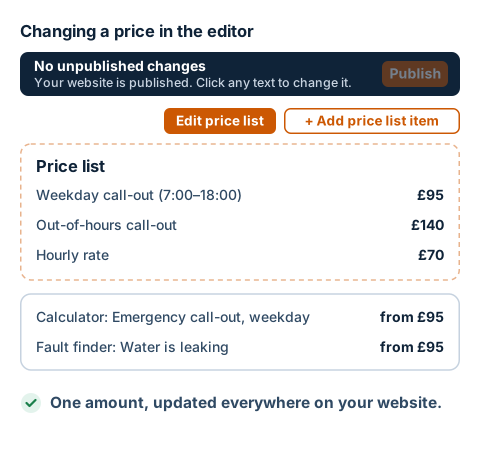
Steps
- Open your website in editing mode. You sign in without a password, using a link from an email.
- Above the price list, click the orange Edit price list button. Depending on your website, it may have a different name, for example Edit service prices or Edit labour prices.
- In the Price list window, click the row with the price you want to change. It expands.
- In the Price field, change the amount. Type just the number, without the currency symbol. Next to it, under Price display, you choose whether the price is shown exactly, as from, as up to or as a surcharge, and the unit if needed, for example per hour.
- Below the row, you'll see everything that uses the price, for example Used by: calculator, fault finder. A new amount shows there too.
- Click Save. The bar at the top says 1 unpublished change. The public website doesn't change yet.
- When everything is as it should be, click Publish on the bar. Only then does the new price appear on the public website.